Self-initiated product analysis and redesign of a fitness membership app to improve usability and update the visual language to current iOS standards.
Brief
The current app requires too many steps to reach favorite venues and lacks options to save classes or filter by teachers. Collectives with multiple locations are hard to overview, and search features are fragmented, requiring constant tab-switching. The poor differentiation between in-person and online classes, combined with missing teacher filters, leads venue-owners to create workarounds like separate venue entries for different teachers or “online-only” venues.
Problem
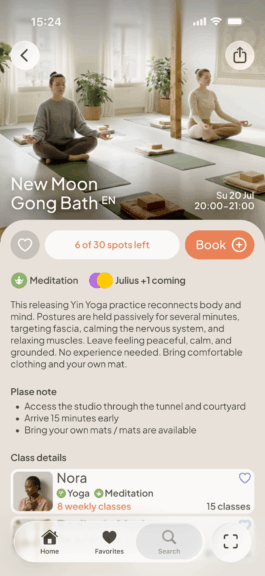
Class
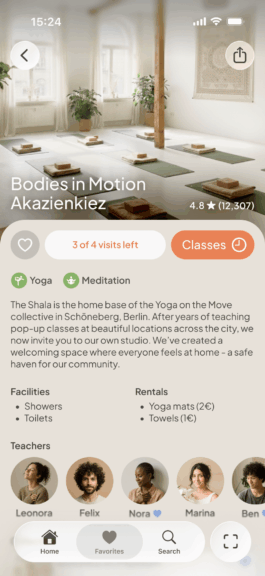
Venue
Collective
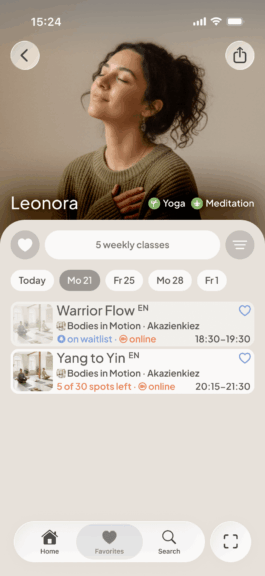
Teacher
Home
Favorites
Search
Search
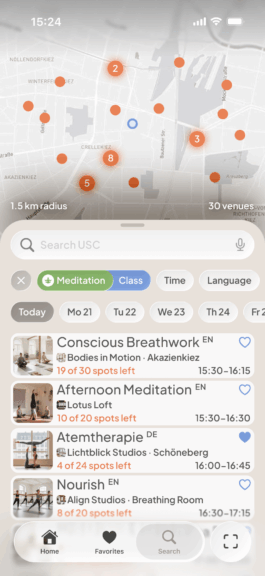
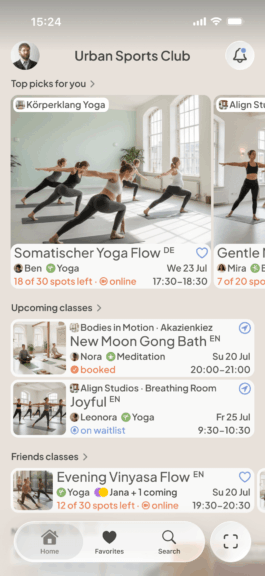
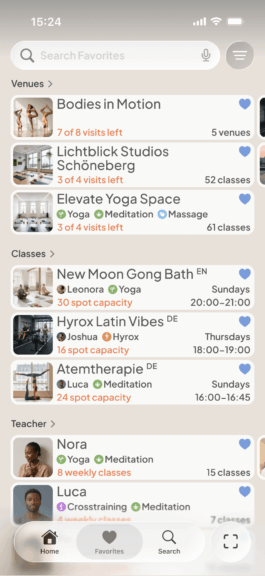
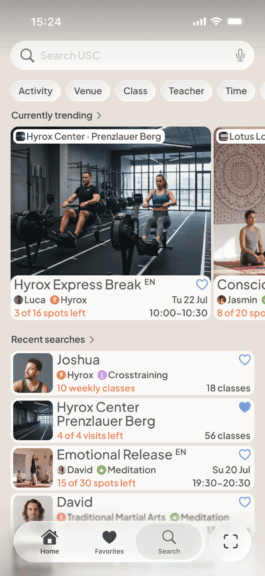
The navigation is restructured into four clear sections: a personalized Home with upcoming classes and suggestions; a Favorites area for venues, classes and teachers; a Search section with refined filters and map view; and a prominent Check-in button for quick access.
Key improvements include savable recurring classes, clear distinction between in-person/online/hybrid formats, color-coded booking states (booked, waitlisted, full), and compact object panels showing 8-9 items per screen versus 3-4 before. The redesign follows current iOS UIKit patterns with orange for actions and availability, blue for favorites and waitlisting.
Solution
Both flows showcase how the redesigned navigation and improved filter options make the exploration and booking of classes more intuitive.
The Search Flow follows a user looking for a meditation class, navigating to the map view to find a nearby location, booking a session, and returning to the home screen, where the upcoming class is now reflected.
In the Favorites Flow, the user navigates to a saved collective and discovers a new venue they want to explore. After filtering for online classes, they find a sold-out hybrid class that still has spots available via its online option. The user joins the waitlist for the physical event and separately books another class from the same teacher. The home screen then reflects all three: two booked classes and one waitlisted.
Two flows, one system
| Fonts | Plus Jakarta Sans Apple SF Pro |
|---|---|
| Tools | Figma Design Affinity PHoto |
Details
FAvorites
online
App
2026
App
online
2026